> ## Documentation Index
> Fetch the complete documentation index at: https://dripart-mintlify-linear-mode-interface-docs-53934.mintlify.site/llms.txt
> Use this file to discover all available pages before exploring further.
# ComfyUI Interface Overview
> In this article, we will briefly introduce the basic user interface of ComfyUI, familiarizing you with the various parts of the ComfyUI interface.
The visual interface is currently the way most users utilize ComfyUI to call the [ComfyUI Server](/development/comfyui-server/comms_overview) to generate corresponding media resources. It provides a visual interface for users to operate and organize workflows, debug workflows, and create amazing works.
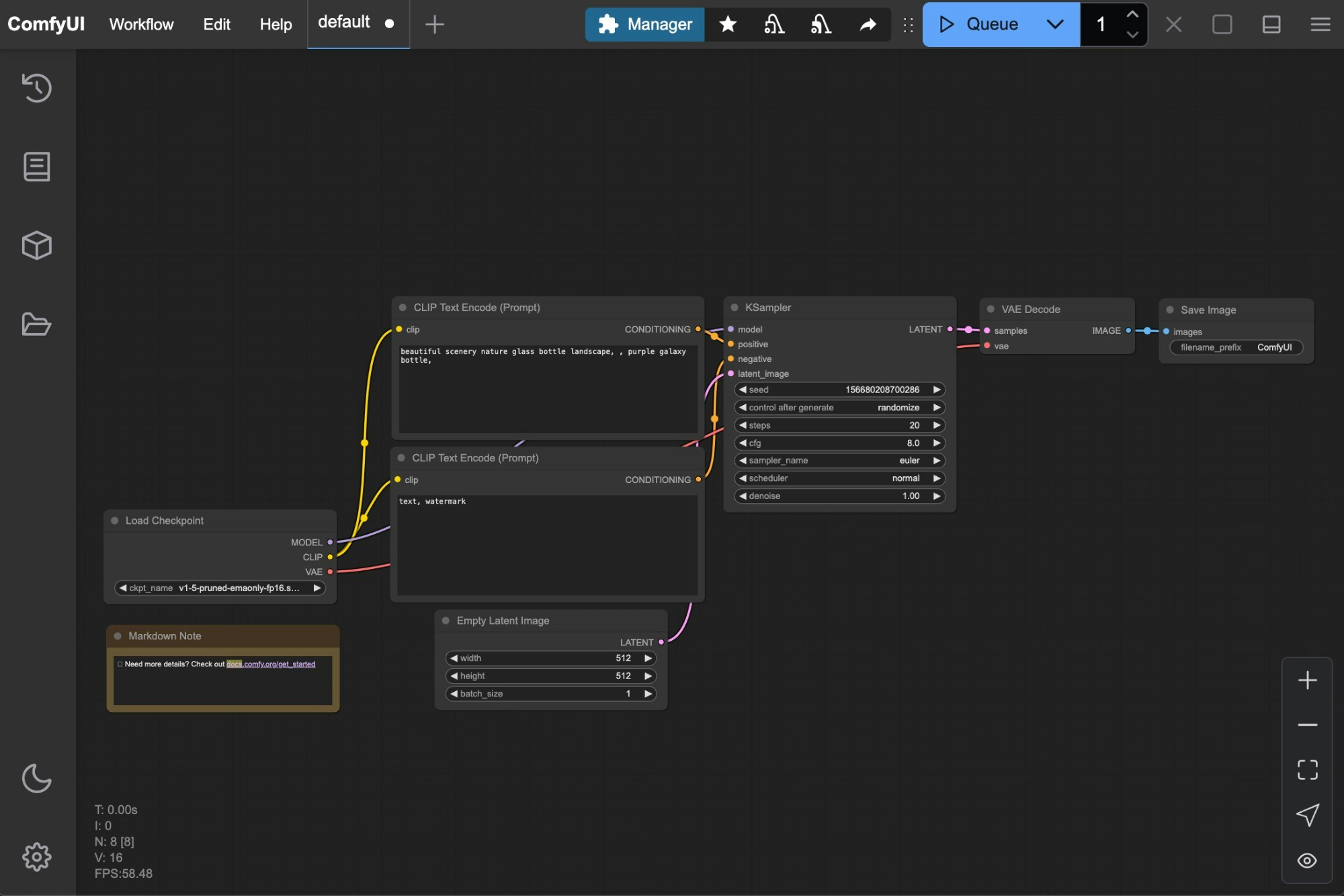
Typically, when you start the ComfyUI server, you will see an interface like this:
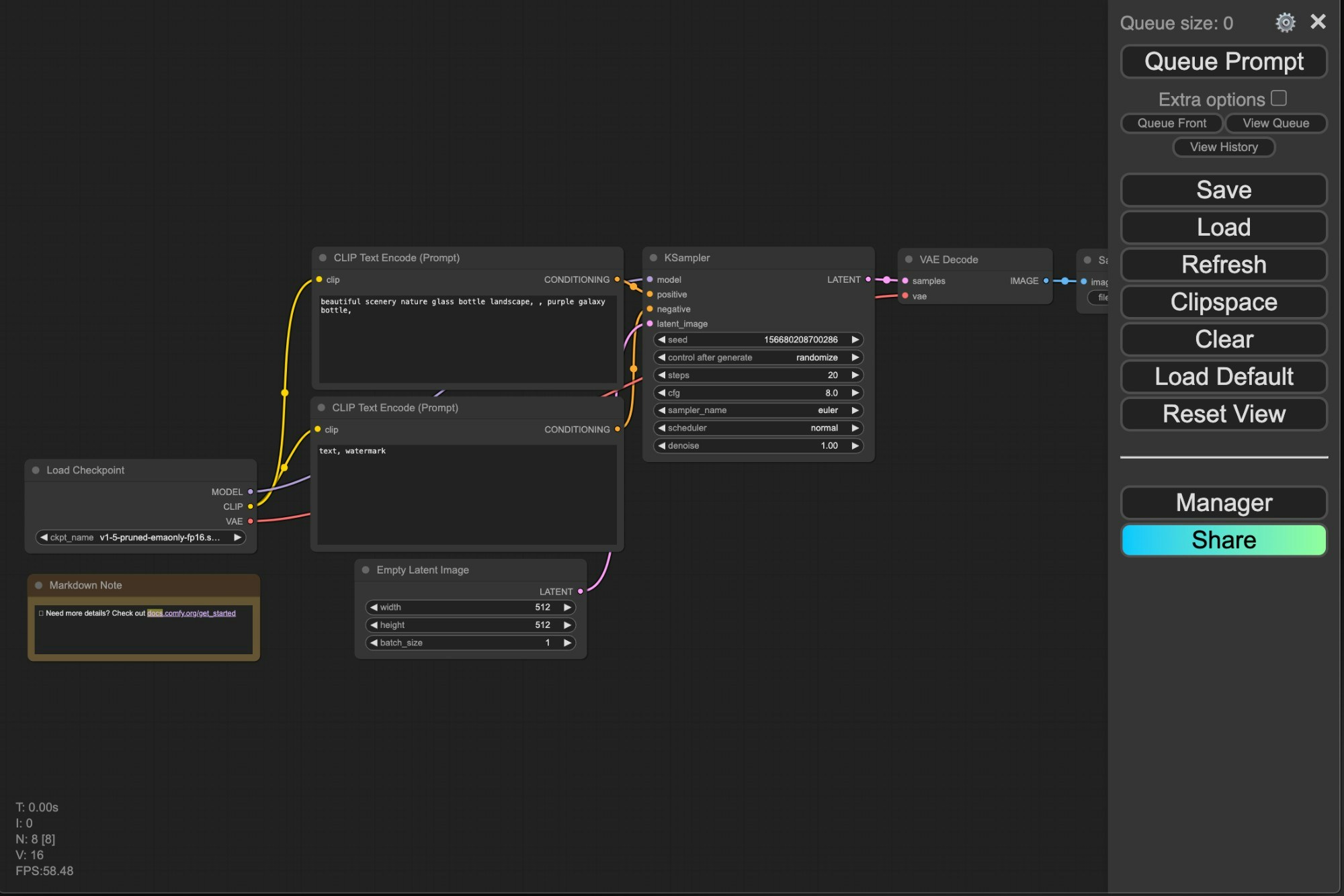
 If you are an earlier user, you may have seen the previous menu interface like this:
 Currently, the [ComfyUI frontend](https://github.com/Comfy-Org/ComfyUI_frontend) is a separate project, released and maintained as an independent pip package. If you want to contribute, you can fork this [repository](https://github.com/Comfy-Org/ComfyUI_frontend) and submit a pull request.
## Localization Support
Currently, ComfyUI supports: English, Chinese, Russian, French, Japanese, and Korean.
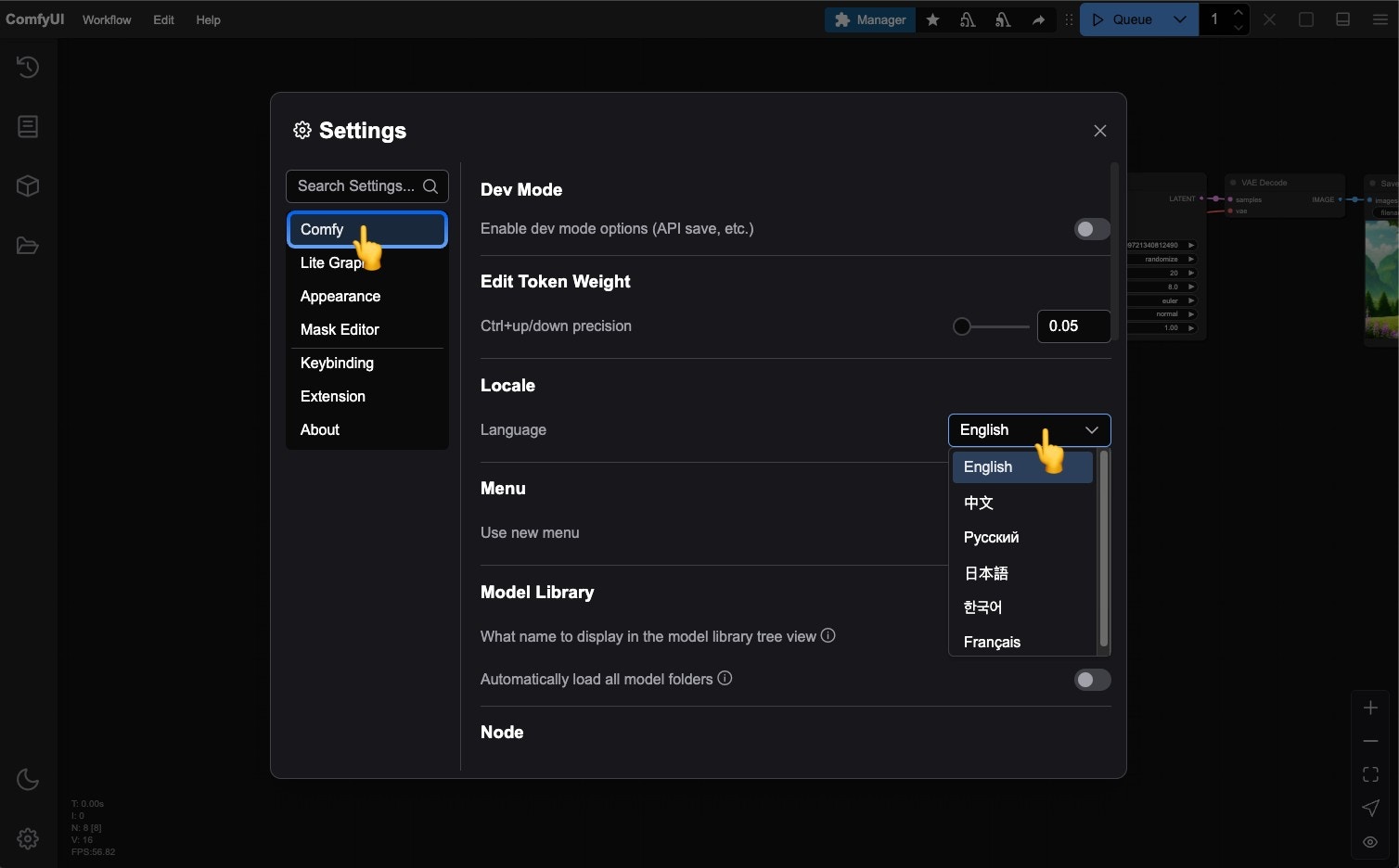
If you need to switch the interface language to your preferred language, you can click the **Settings gear icon** and then select your desired language under `Comfy` --> `Locale`.
Currently, the [ComfyUI frontend](https://github.com/Comfy-Org/ComfyUI_frontend) is a separate project, released and maintained as an independent pip package. If you want to contribute, you can fork this [repository](https://github.com/Comfy-Org/ComfyUI_frontend) and submit a pull request.
## Localization Support
Currently, ComfyUI supports: English, Chinese, Russian, French, Japanese, and Korean.
If you need to switch the interface language to your preferred language, you can click the **Settings gear icon** and then select your desired language under `Comfy` --> `Locale`.
 ## New Menu Interface
### Workspace Areas
Below are the main interface areas of ComfyUI and a brief introduction to each part.
## New Menu Interface
### Workspace Areas
Below are the main interface areas of ComfyUI and a brief introduction to each part.
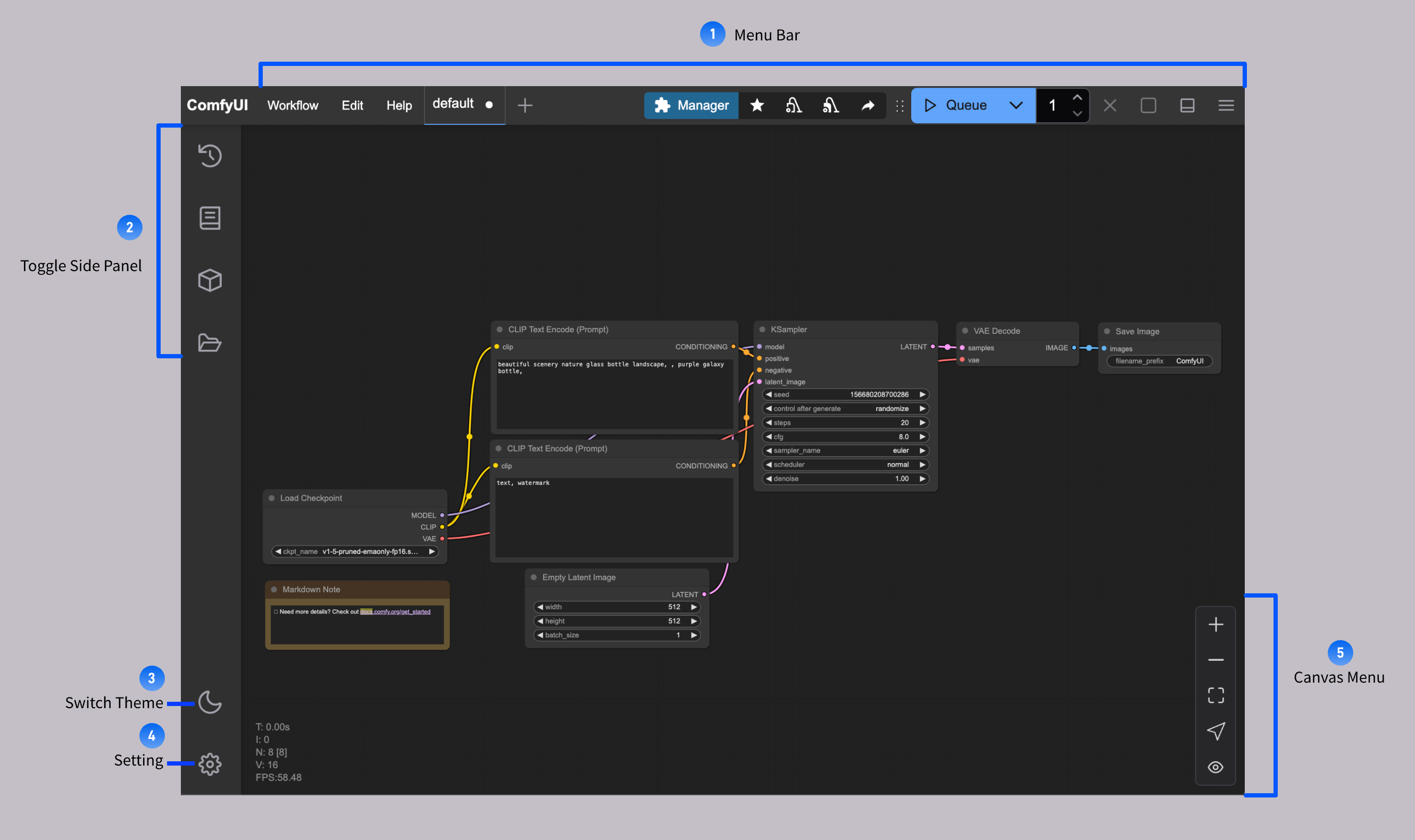 Currently, apart from the main workflow interface, the ComfyUI interface is mainly divided into the following parts:
1. Menu Bar: Provides workflow, editing, help menus, workflow execution, ComfyUI Manager entry, etc.
2. Sidebar Panel Switch Buttons: Used to switch between workflow history queue, node library, model library, local user workflow browsing, etc.
3. Theme Switch Button: Quickly switch between ComfyUI's default dark theme and light theme
4. Settings: Click to open the settings button
5. Canvas Menu: Provides zoom in, zoom out, and auto-fit operations for the ComfyUI canvas
### Menu Bar Functions
Currently, apart from the main workflow interface, the ComfyUI interface is mainly divided into the following parts:
1. Menu Bar: Provides workflow, editing, help menus, workflow execution, ComfyUI Manager entry, etc.
2. Sidebar Panel Switch Buttons: Used to switch between workflow history queue, node library, model library, local user workflow browsing, etc.
3. Theme Switch Button: Quickly switch between ComfyUI's default dark theme and light theme
4. Settings: Click to open the settings button
5. Canvas Menu: Provides zoom in, zoom out, and auto-fit operations for the ComfyUI canvas
### Menu Bar Functions
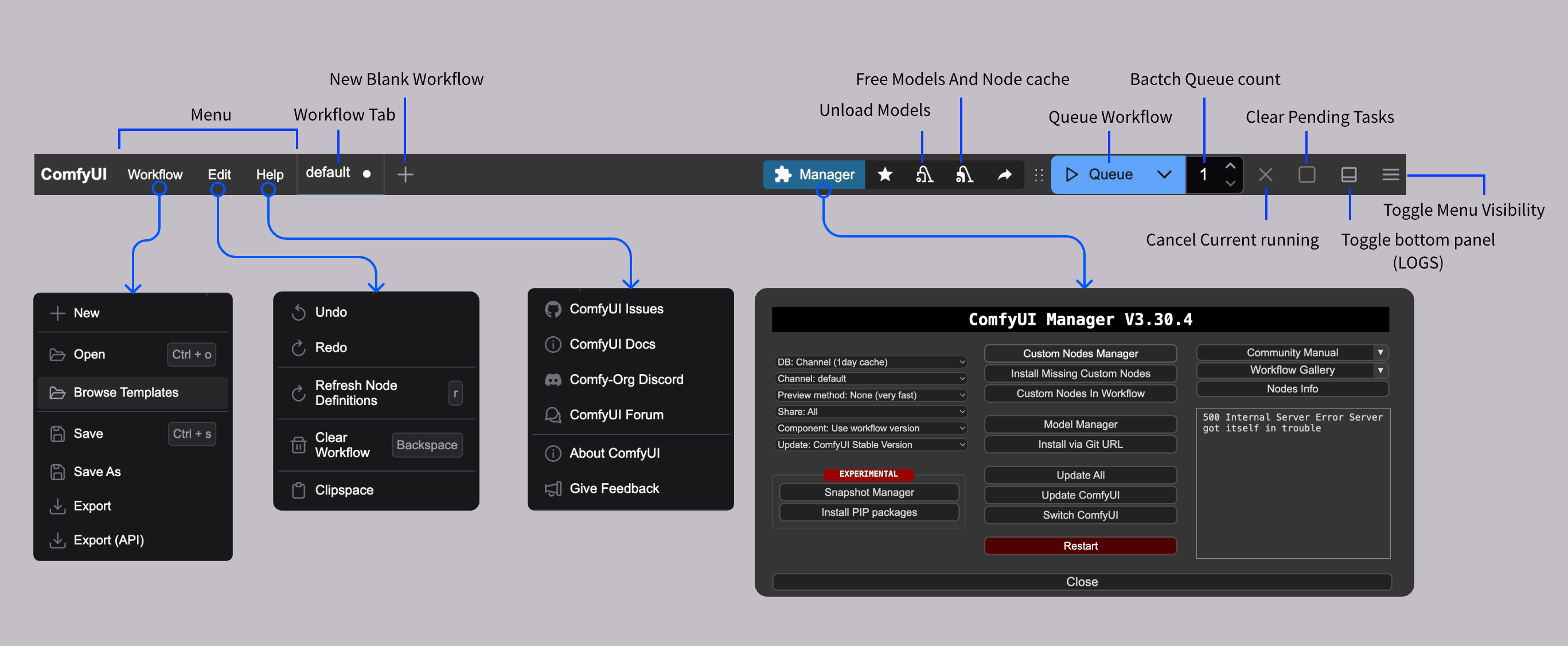 The image above shows the corresponding functions of the top menu bar, including common features, which we will explain in detail in the specific function usage section.
### Sidebar Panel Buttons
The image above shows the corresponding functions of the top menu bar, including common features, which we will explain in detail in the specific function usage section.
### Sidebar Panel Buttons
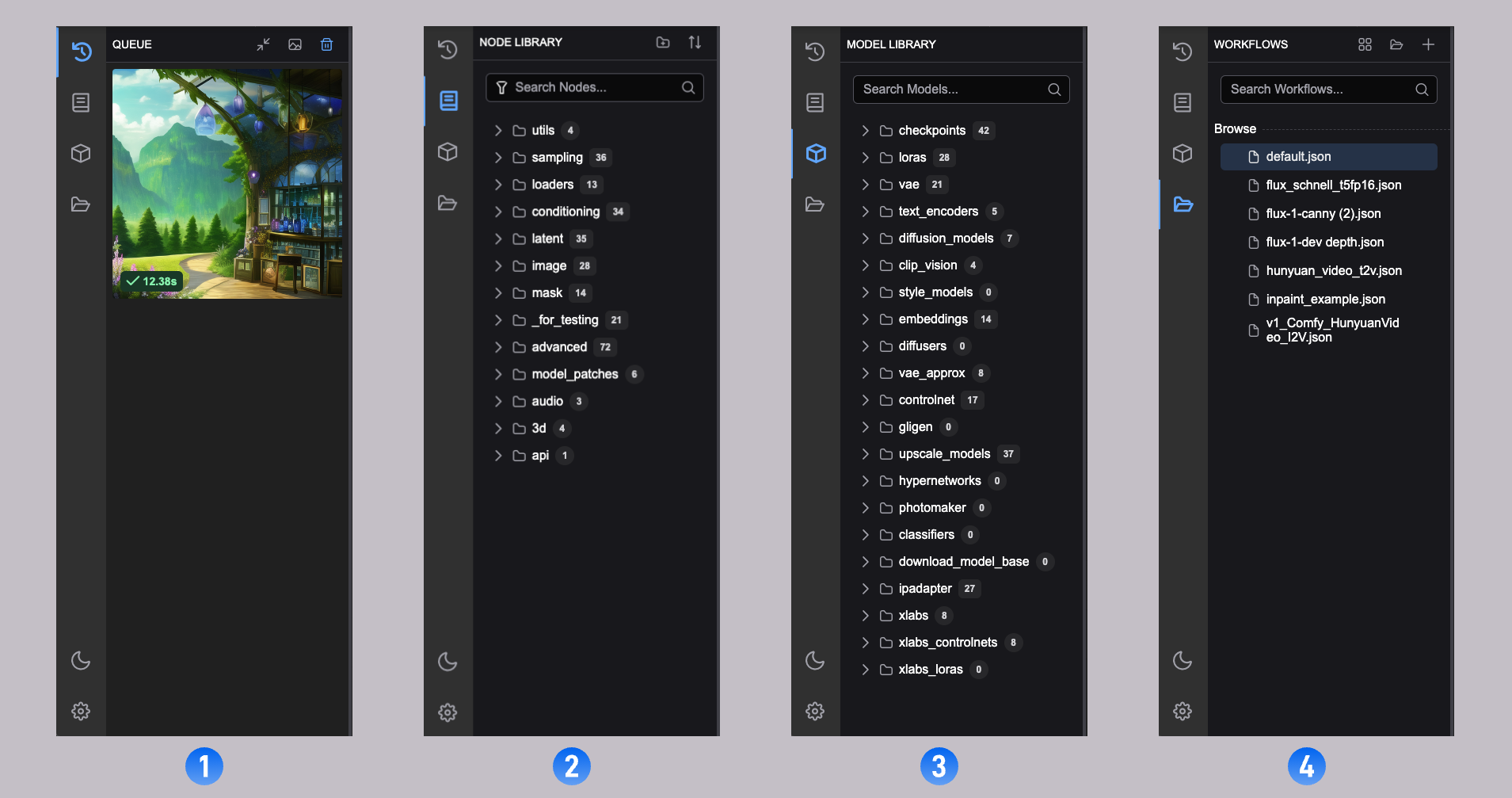 In the current ComfyUI, we provide four side panels with the following functions:
1. Workflow History Queue (Queue): All queue information for ComfyUI executing media content generation
2. Node Library: All nodes in ComfyUI, including `Comfy Core` and your installed custom nodes, can be found here
3. Model Library: Models in your local `ComfyUI/models` directory can be found here
4. Local User Workflows (Workflows): Your locally saved workflows can be found here
## Old Menu Version
Currently, ComfyUI enables the new interface by default. If you prefer to use the old interface, you can click the **Settings gear icon** and then set `Use new menu` to `disabled` under `Comfy` --> `Menu` to switch to the old menu version.
The old menu interface only supports English.
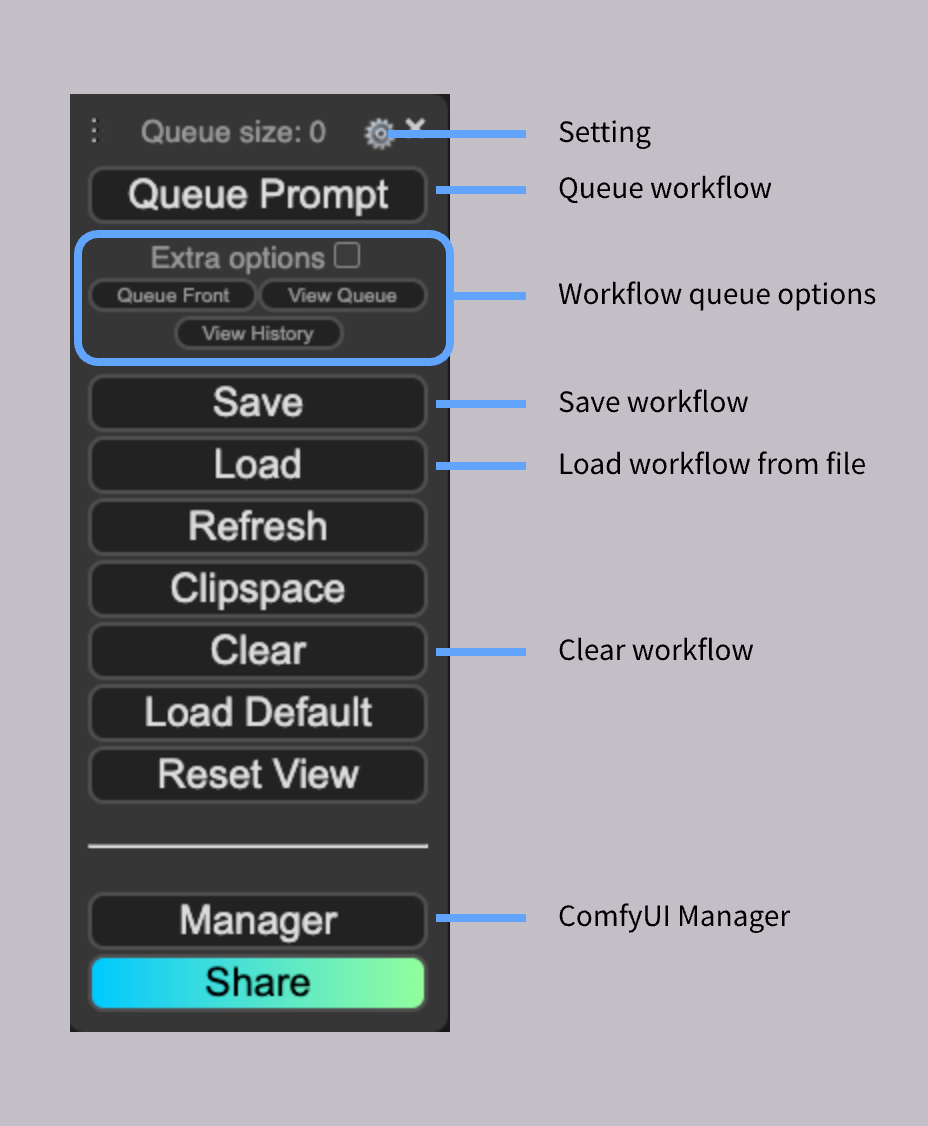
The function annotations for the old menu interface are explained below:
In the current ComfyUI, we provide four side panels with the following functions:
1. Workflow History Queue (Queue): All queue information for ComfyUI executing media content generation
2. Node Library: All nodes in ComfyUI, including `Comfy Core` and your installed custom nodes, can be found here
3. Model Library: Models in your local `ComfyUI/models` directory can be found here
4. Local User Workflows (Workflows): Your locally saved workflows can be found here
## Old Menu Version
Currently, ComfyUI enables the new interface by default. If you prefer to use the old interface, you can click the **Settings gear icon** and then set `Use new menu` to `disabled` under `Comfy` --> `Menu` to switch to the old menu version.
The old menu interface only supports English.
The function annotations for the old menu interface are explained below: