> ## Documentation Index
> Fetch the complete documentation index at: https://dripart-mintlify-linear-mode-interface-docs-53934.mintlify.site/llms.txt
> Use this file to discover all available pages before exploring further.
# Delete your Comfy account
> Learn how to permanently delete your Comfy account for ComfyUI and associated data.
Account deletion is permanent and cannot be undone. All your data, workflows, and settings will be permanently removed.
## Before you delete
Before proceeding with account deletion, consider:
* **Backup your data**: For Comfy Cloud users, your assets are stored under your account, so back up any data you want to keep. If you don't use Comfy Cloud, your API usage can be found at [https://platform.comfy.org/](https://platform.comfy.org/)
* **Cancel subscriptions**: Ensure all active subscriptions are cancelled to avoid future charges
* **Download invoices**: Save copies of any payment history or invoices you may need
* **Alternative options**: Consider deactivating your account temporarily instead of permanent deletion
## Deleting your Comfy account
To permanently delete your Comfy account for ComfyUI:
1. Log in to your account
2. Navigate to **Settings** > **Account**
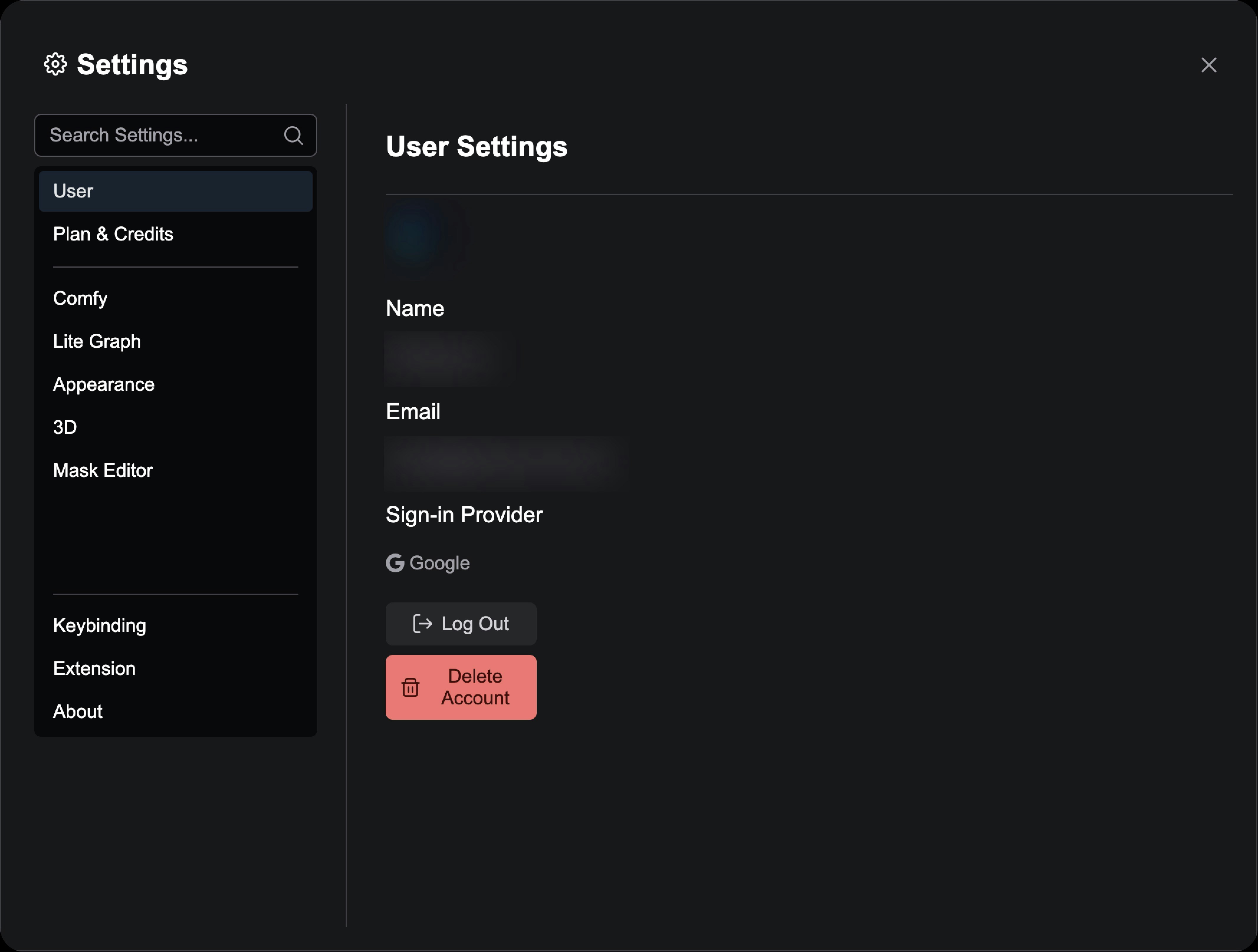 3. Scroll to the bottom of the page
4. Click **Delete account**
5. Read the warning message carefully
6. Enter your password to confirm
7. Type "DELETE" in the confirmation field
8. Click **Permanently delete my account**
## What gets deleted
When you delete your account, the following data is permanently removed:
* Your user profile and account information
* All saved workflows and projects
* Generated images and outputs
* Custom settings and preferences
* Payment history and billing information
* API keys and access tokens
3. Scroll to the bottom of the page
4. Click **Delete account**
5. Read the warning message carefully
6. Enter your password to confirm
7. Type "DELETE" in the confirmation field
8. Click **Permanently delete my account**
## What gets deleted
When you delete your account, the following data is permanently removed:
* Your user profile and account information
* All saved workflows and projects
* Generated images and outputs
* Custom settings and preferences
* Payment history and billing information
* API keys and access tokens